
🌍
Real maps, real coordinates
OpenStreetMap basemaps, Natural Earth country and state polygons, OSM administrative boundaries - geographically accurate, all driven by real lat/lng.
For motion designers, video editors, documentary makers
A basic, focused desktop app for designing route maps and sending them to AE as fully editable shape layers. One-click bridge. No render plugin. Lifetime license.
14-day free trial · Windows
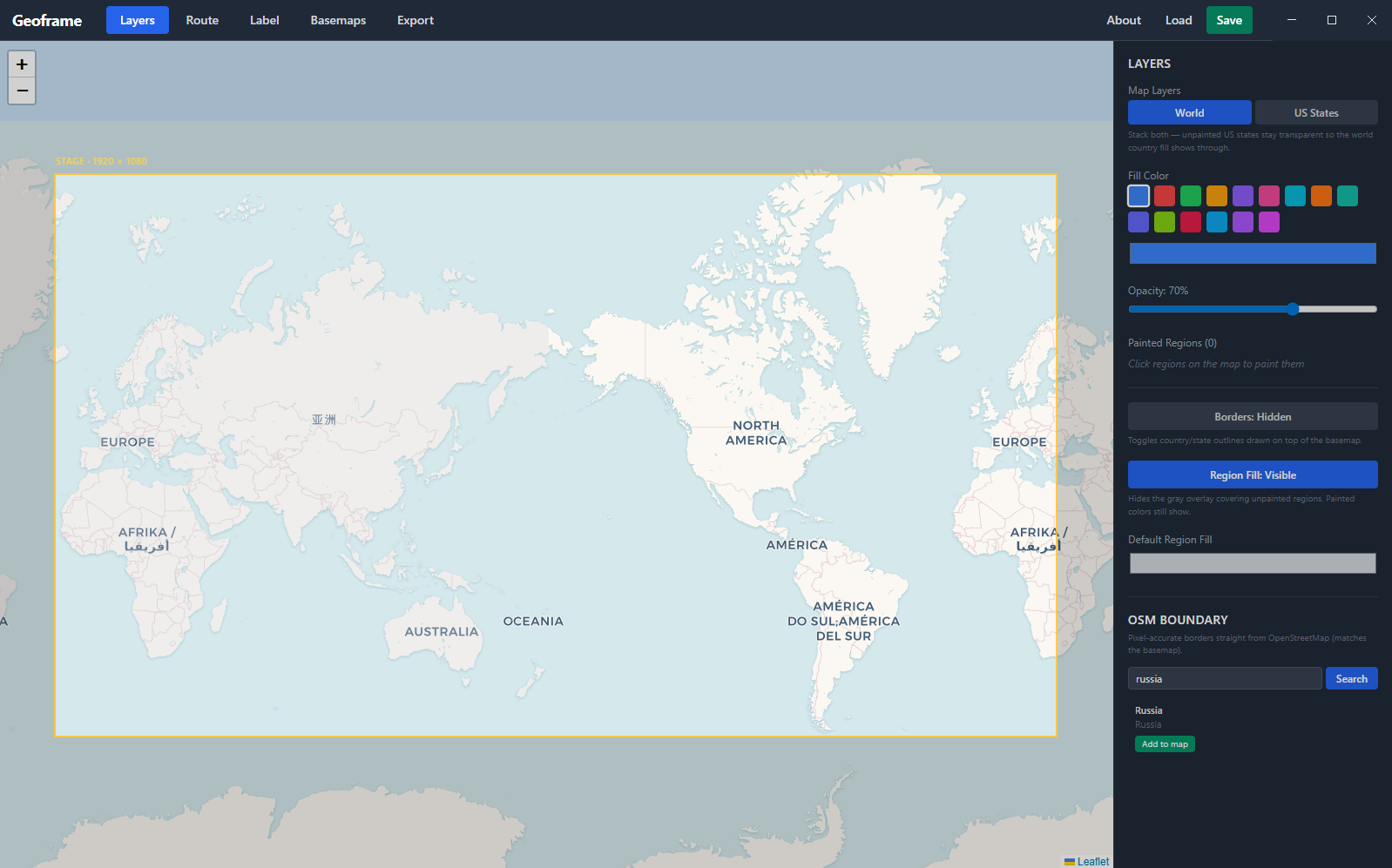
Thirty seconds. Idea to animatable layers.
You wanted to add an animated route map to your video. You opened Photoshop, then Illustrator, then traced from Google Maps, then somehow ended up rendering frames from an interactive map and stitching them in After Effects.
Geoframe is the single window that draws the map and hands it to After Effects, ready to animate.
Six things that turn a half-day into ten minutes.
OpenStreetMap basemaps, Natural Earth country and state polygons, OSM administrative boundaries - geographically accurate, all driven by real lat/lng.
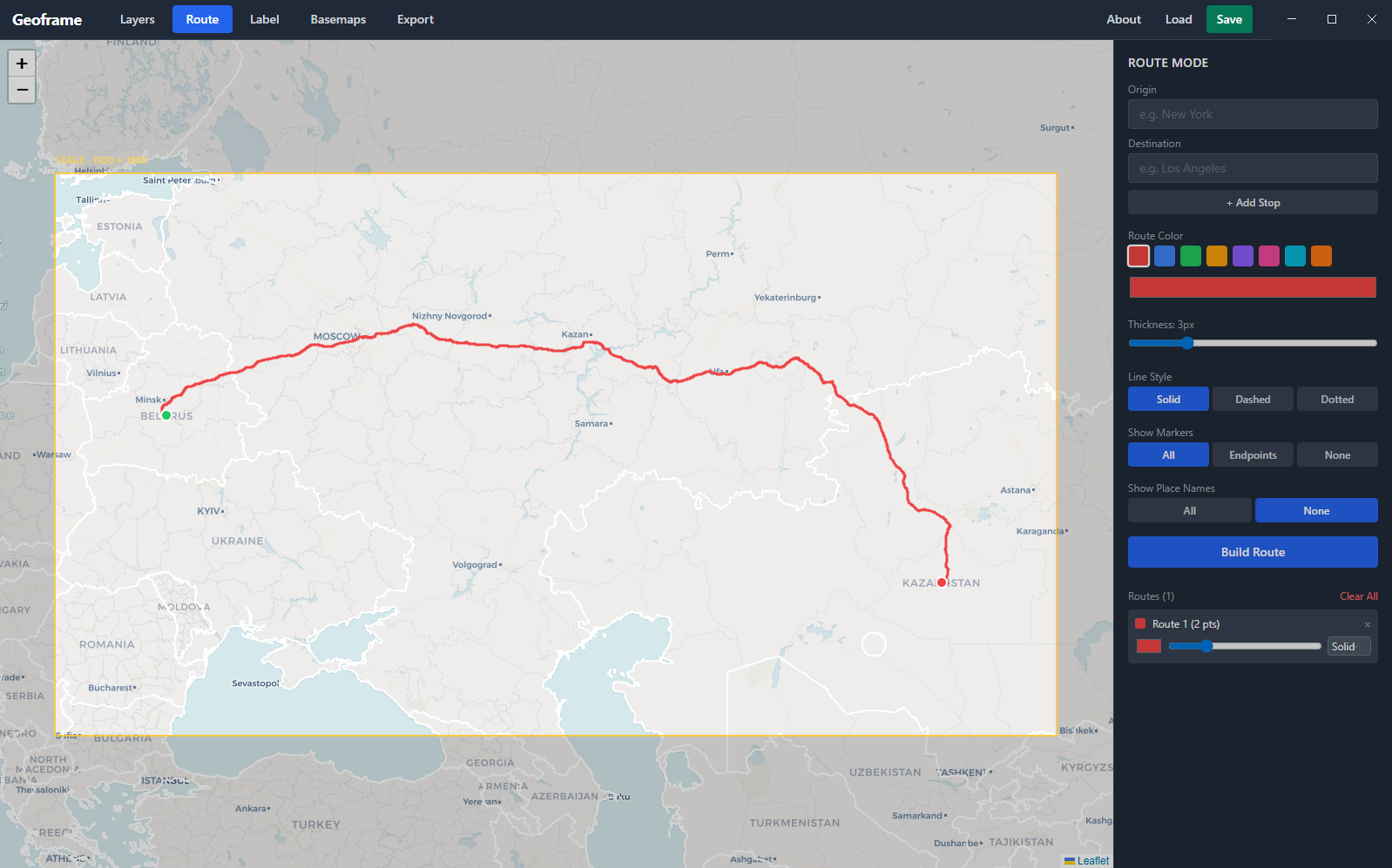
Click points on the map. Geoframe handles the geometry. Add origin, waypoint, and destination markers, plus labels, without leaving the canvas.
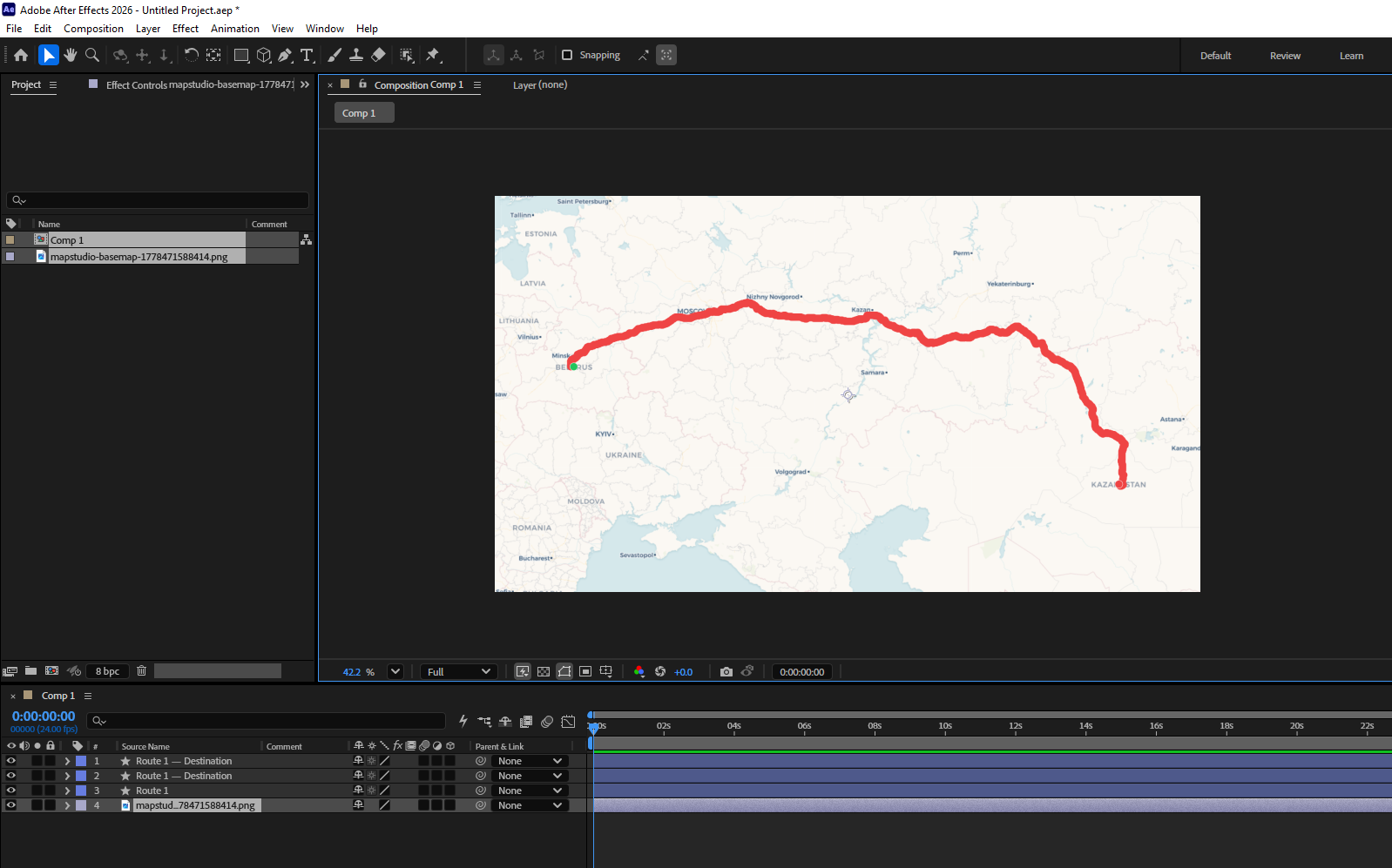
Press send. Within ~1 second your AE comp fills with the basemap, routes as shape layers, painted regions as shape layers, and labels as text - all editable.
Routes, region fills, OSM borders, and the basemap share the same projection. Everything lines up exactly when AE renders it, even at 4K.
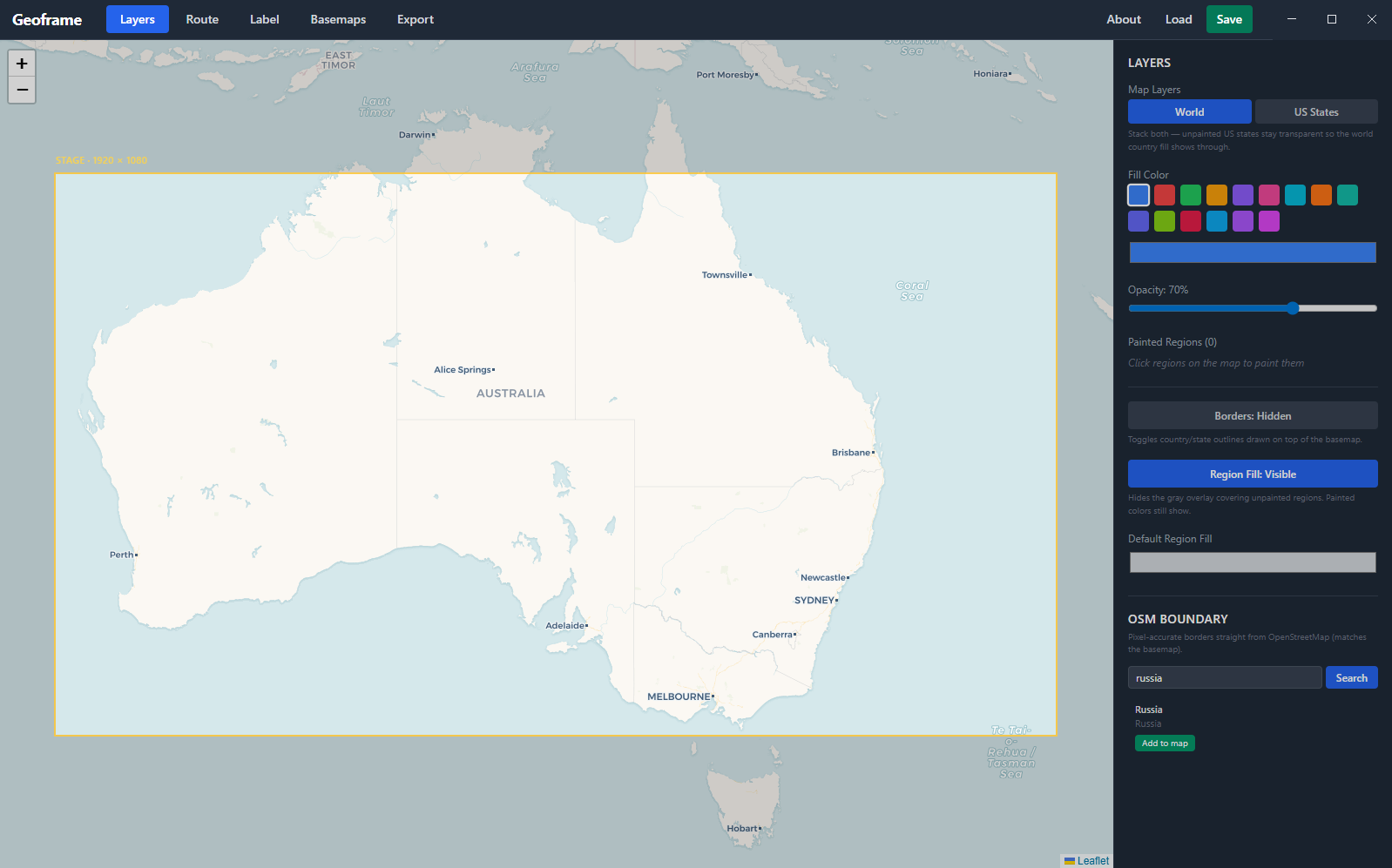
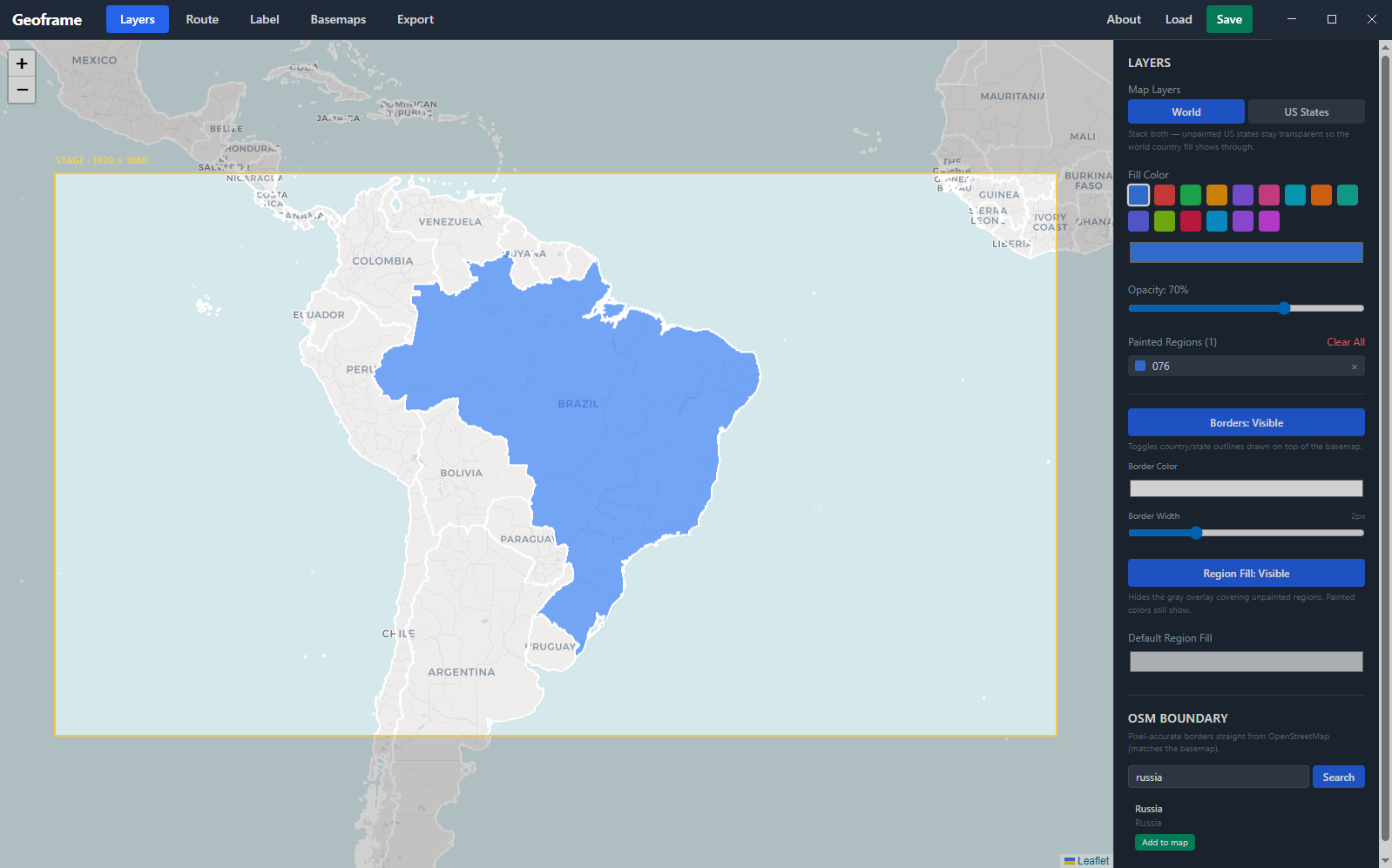
World countries and US states with one click. Stack them, paint over each other, export each as its own editable AE shape layer - never baked into a flat PNG.
Map state saves to a single .json file. Reopen weeks later and continue right where you left off. No cloud account, no login.
Screenshots from a real session.
Both are great tools. They're built for different workflows.
| Geoframe | GeoLayers | |
|---|---|---|
| Where you work | Standalone app, sends to AE | Inside After Effects |
| Editing experience | Browser-style map UI | AE panel-driven |
| What you get in AE | Native, editable shape layers - no plugin needed at render | Plugin-driven scene with internal data |
| Camera animation / zoom | Not supported - map stays flat | Full camera control |
| Best for | Drawing a clean route map fast and shipping it as native AE layers | Rich camera animation, large scenes, full-spectrum control |
| Pricing | $49 lifetime, per major version | Premium, full-featured |
If you need the most powerful map workflow inside AE, GeoLayers is the gold standard - we respect what they've built. Geoframe is the simpler tool for the simpler job: get a clean map into your composition and start animating.
Three steps from idea to animatable layers.
Open Geoframe. Pan the basemap. Paint countries or states. Drop route points. Add labels. Adjust styling.
Click Send Bundle to AE. The Geoframe panel inside After Effects auto-imports the basemap and shape layers within seconds.
Trim Path, Position keyframes, parent nulls, stroke width - every layer is native AE. Works with your existing animation skills, presets, and plugins.
No phone-home, no surprise charges. Pricing spelled out up front.
v2 (air routes, vector world maps) ships separately when ready. v1 buyers get an upgrade discount.
If you're stuck on something, the answer is probably here.
Geoframe is intentionally basic - knowing what it doesn't do will save you frustration. It can't zoom in: the map exports as a flat, fixed-frame image, and zooming it digitally makes it blurry. That means the classic documentary shot - pull back from a full country, then push in to a specific city - isn't possible in Geoframe. There's also no camera animation at all; the map doesn't move, your AE layers do. If you need that level of control, GeoLayers is the right tool. Geoframe is for getting a clean map into AE fast - with routes, borders, and region fills as separate layers you can animate individually.
Tested on After Effects 2024 and 2026. Should work on any AE version from 2022 onwards (CC 22.0+) since they all support the CEP 11 panel API that Geoframe uses to bridge into AE. Older AE versions may work but aren't officially tested.
Not yet. v1.0 is Windows-only. A Mac build is on the roadmap - the Electron + AE bridge architecture works the same on macOS, the work is mostly in the installer and code-signing flow. If you're a Mac user who'd buy, subscribe to the newsletter so we can let you know when it ships.
Mostly no. License activation happens once on first launch and after that the app is fully offline - no phone-home, no telemetry. The only thing that needs internet is loading map tiles (basemaps) and fetching OSM administrative boundaries the first time. Once tiles are cached by your browser engine, panning around an area you've already loaded works offline.
Yes. Your license is keyed to your email, not your hardware. Install it on your studio desktop and your laptop. We trust you not to share the key with the entire internet - that's the deal.
The app keeps your projects intact, but the splash screen returns and asks for a license key. Buy a license, paste the key in, and you're back in within seconds - same projects, same setup. No data loss.
All v1.x updates are free, forever - that's what "lifetime per major version" means. When v2 ships (with bigger features like air routes and vector world maps), it'll be a separate purchase. v1 owners get a meaningful discount on v2.
Email us through the contact form with the email you used to buy. We keep purchase records so we can re-issue your key - no charge, no hassle.
That's exactly why the 14-day free trial exists - try it on a real project before paying. If you trial it and decide to buy, you've already confirmed it works for you, so we don't offer post-purchase refunds. If something genuinely broke for you within the first 7 days of buying, email us and we'll make it right.
Questions, feedback, or just hello - we read every message.
Occasional emails about Geoframe updates, v2 progress, and new features. No spam, unsubscribe anytime.